
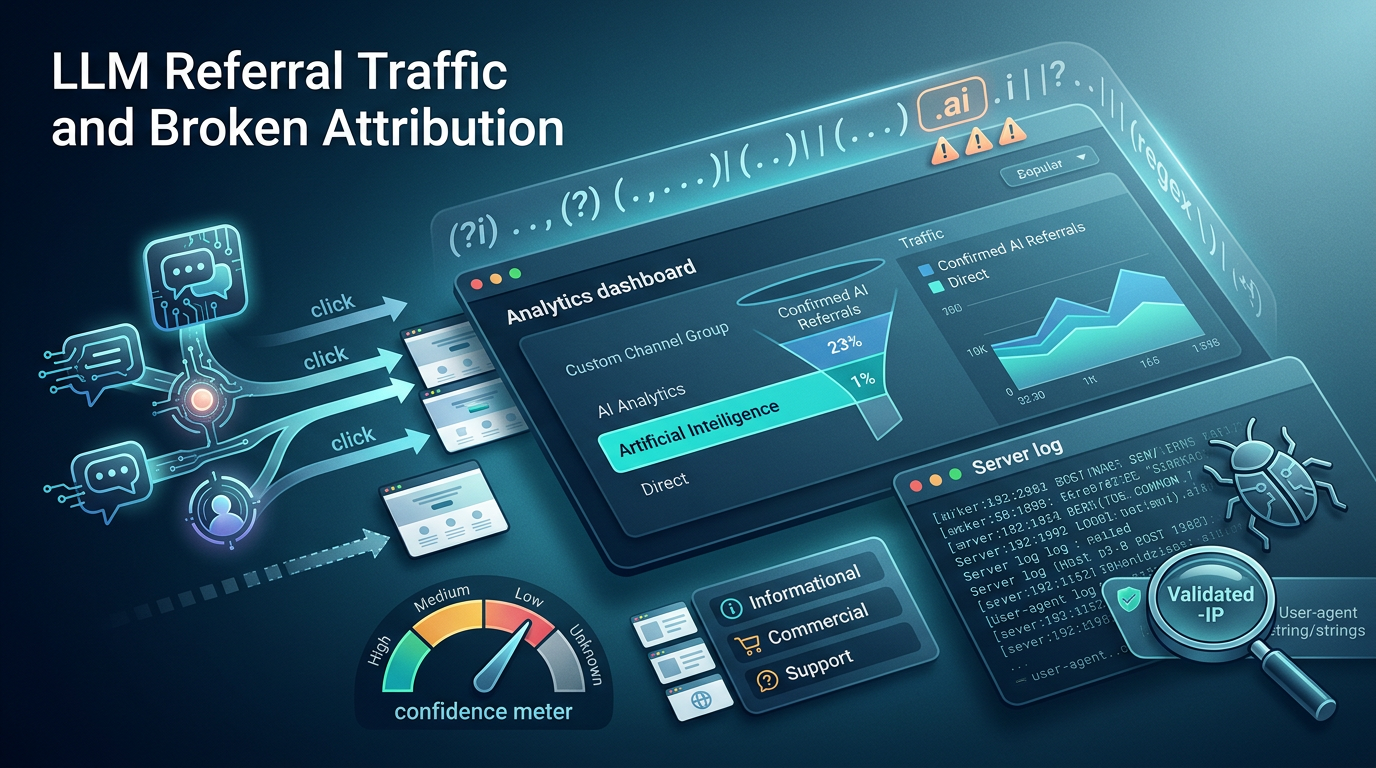
You optimized your content for AI answers, checked your GA4 traffic report, and saw a wall of Direct sessions with no story attached. Somewhere inside that Direct bucket are people who asked ChatGPT a question, got your page cited, clicked through, and converted. You cannot see any of it. The referrer got stripped, the prompt is invisible, and your CFO wants to know whether the GEO budget produced anything.
The cost of guessing here is not abstract. Teams either underreport AI-driven revenue and kill funding for content that is actually working, or they overclaim by presenting citation-monitoring dashboards as if they were traffic, which collapses the first time someone cross-checks against sessions. Both failures come from the same root: treating AI attribution as a binary you either have or you don't, when it is really a spectrum of evidence you have to grade.
This is a nine-step forensic workflow for measuring AI search traffic without the prompt. We set up detection in GA4, write and validate the referrer regex, separate human clicks from crawlers, cluster landing pages by intent, run probe queries, infer likely prompt themes without pretending we recovered them, match against citation fingerprints, assign confidence tiers, and connect the whole thing to pipeline. At the end there is a reporting template you can reuse every cycle. We measure directionally, and we say so out loud.
What LLM Referral Traffic Is and Why It Breaks Standard Attribution
LLM referral traffic is any session that arrives from an AI assistant or AI search interface, ChatGPT, Perplexity, Gemini, Claude, or Copilot, in the cases where the tool actually passes a referrer to your analytics (Search Atlas). That last clause is the whole problem, because most of the time it does not.
Three different things get jammed together under the label "AI traffic," and keeping them apart is the first discipline:
- AI crawler visits are bots fetching your pages to build or refresh the model's index. These never convert and never buy. They show up in server logs rather than GA4's default reports.
- Human AI referral clicks are real people clicking a citation or link inside an AI answer and landing on your site. These are the sessions worth money, and only some of them carry a referrer.
- AI-influenced direct visits are people who read an AI answer that mentioned your brand, then typed your URL or searched your name directly. There is no referrer, no click chain, and no honest way to prove causation. You can only score the likelihood, and the reason this matters now is scale, since ChatGPT reaches roughly 900 million weekly active users. Gemini's reach extends across Google's product surface and its conversational AI features. Perplexity runs 100 million-plus monthly visits. And about 68% of Google searches end without a click, meaning the majority of query resolution now happens without a visit to anyone's site. When more than half of search intent gets answered on-surface, the clicks that do reach you become harder to trace and more important to measure.
The honest thesis up front: this workflow produces confirmed referrals plus scored inferences. It does not recover prompts. Anyone selling you prompt reconstruction from analytics data is selling you a story.
The Three Reasons You Cannot See the Prompt or the Full Referral Picture
Referrer stripping is the first wall. When someone copies a link out of a ChatGPT answer and pastes it into a new tab, opens your page inside a mobile app's in-app browser, or clicks from an app that does not set the HTTP referrer, the session lands in your analytics as Direct rather than as an AI source. The click happened and the attribution evaporated; no-click influence is the second. A citation or brand mention that a user reads and acts on later, without ever clicking, produces no session at all at the moment of influence. It stays invisible to analytics because analytics only records visits, and no visit occurred.
Prompt opacity is the third and simplest. There is no GA4 setting, no Adobe configuration, and no data-layer trick that exposes the text of the original prompt (Google). The AI platforms do not pass it, and no amount of tagging will conjure it.
So set the expectation with your stakeholders before you start. This workflow can give you confirmed referrals from known AI domains and scored inferences about AI-assisted discovery. It cannot give you exact prompt reconstruction. Every step below respects that boundary.
Step 1: Set Up AI Referrer Detection in GA4
Start with what Google gives you natively. GA4 now ships an AI Assistant default channel: when it detects a referrer matching its internal AI list, it sets medium = ai-assistant and assigns the AI Assistant channel group. The catch is coverage. Google's current default-channel documentation confirms only ChatGPT, Gemini, and Claude, and there is no published, exhaustive referrer list. The native channel will miss any AI source Google hasn't wired in.
That is why we build our own durable custom channel group. Go to Admin > Data Display > Channel Groups and create a new group named Artificial Intelligence. Inside it, define a channel that matches your verified AI referrer regex (Step 2 builds the pattern).
[Screenshot: GA4 custom channel group rule order, AI channel positioned above Referral and Organic Search]
Rule order is where teams silently lose data. GA4 assigns each session to the first matching rule in the group, so you must place your AI channel above Referral and above Organic Search. If AI sits below Referral, perplexity.ai matches the Referral rule first and never reaches your AI bucket.
Plan around GA4's hard constraints before you spend a slot:
- Standard GA4 allows 2 custom channel groups; GA4 360 allows 5. These are scarce.
- Each group holds up to 50 channels.
- Custom groups apply retroactively in reports, so historical UI data reclassifies at report time, but they cannot be set as the Primary Channel Group.
- Custom channel groups are not exported to BigQuery (Google Analytics Help). If you report in BigQuery, you rebuild the same regex logic in SQL against
sourceandmedium.
One more trap: the Unwanted Referrals list. If an AI domain is on it, GA4 suppresses that referrer, the session usually falls to Direct, and it never qualifies for the AI Assistant channel because the referrer is gone. Audit that list before you trust any AI numbers.
Step 2: Write and Validate the AI Referrer Regex
GA4 uses RE2 syntax, which is stricter than the regex most marketers are used to. No lookaheads, no backreferences, no possessive quantifiers. It is case-sensitive by default, and your pattern must fit within roughly 250 to 256 characters.
For the custom channel group (which has room), match against verified AI domains:
chatgpt\.com|chat\.openai\.com|gemini\.google\.com|perplexity\.ai|claude\.ai|copilot\.microsoft\.com|deepseek\.com|meta\.ai|grok\.com|mistral\.ai|you\.com|phind\.comFor quick report-level filtering where the character limit bites, use a shortened variant that catches the highest-volume sources:
chatgpt|openai|gemini|perplexity|claude|copilot|deepseek|meta\.ai|grokThe escaping and matching rules that cause silent misses:
- Escape literal dots as
\.soperplexity\.aidoes not matchperplexityXai. - Escape literal spaces if a source string contains one.
- Prefix
(?i)to force case-insensitivity, because RE2 is case-sensitive andChatGPT.comwill slip pastchatgpt. - Never leave a leading or trailing pipe (
|chatgptorchatgpt|), which creates an empty alternation that matches everything.
Resist the urge to shortcut with a bare .ai TLD pattern. It over-classifies aggressively, sweeping in non-AI domains that happen to end in .ai. If you use any broad TLD match, validate it against your actual source/medium data before trusting a single number.
The validation protocol: draft the pattern on regex101 with the RE2/Go engine flavor selected (not PCRE, which permits features GA4 rejects), then confirm it inside GA4 against live traffic. Pull your source/medium report, apply the pattern as a filter, and eyeball what matches. If a domain you expected is missing, your escaping is wrong; if junk appears, your alternation is too broad.
Step 3: Separate Human AI Referrals From AI Crawlers
GA4 referral analysis only ever sees human clicks, because GA4 runs on JavaScript that bots typically don't execute. Crawler detection lives in a different place entirely: your server logs or CDN logs, where every request, human or bot, leaves a record.
Detect crawlers by user-agent using the open-source monperrus/crawler-user-agents patterns, which maintain a community-verified list of bot signatures you can match against your log lines (Search OS).
Rank the bots you find so you prioritize the ones actually hitting you hard. Directional crawl rates to guide triage:
- ChatGPT-User: ~2,400 pages/hour
- Bingbot: ~1,300 pages/hour
- ClaudeBot: ~500 pages/hour
- PerplexityBot and OAI-SearchBot: ~150 pages/hour each
- GPTBot: ~100 pages/hour
User-agent strings can be spoofed by anyone, so validate against the official published IP ranges for each crawler. If a request claims to be GPTBot but its IP is outside OpenAI's declared range, it is not GPTBot. Treat the user-agent as a claim, the IP as the proof.
There is an invisible-agent gap you cannot close with any of this. you.com, ChatGPT Operator, Bing Copilot chat, and Grok do not reliably self-identify in logs, and agentic browsers like Comet and ChatGPT Atlas render as ordinary browser traffic because they are browsers driven by an AI. This traffic blends in and you will not fully isolate it. Report AI traffic as a floor, never as a complete count.
Use a composite detection rule rather than any single signal:
- user-agent string matches a known AI crawler pattern, and
- source IP validates against the official range, and
- crawl-rate pattern fits the expected behavior, and
- the bot respects (or references) its
robots.txttoken, and - behavioral clues line up (no JS execution, systematic URL traversal, no conversion events).
The more of these that agree, the more confident the classification.
Step 4: Cluster AI-Referred Landing Pages by Intent
Now work with the confirmed human referrals from Steps 1 and 2. Pull every landing page receiving confirmed AI referral sessions and sort them into intent categories:
- Informational
- Commercial investigation
- Comparison
- Product or service
- Support
- Pricing
- Brand validation
Each cluster maps to a likely prompt shape, which is the closest you get to the invisible input:
- Informational pages align with "how do I" and "what is" questions.
- Commercial investigation aligns with "best tools for" queries.
- Comparison pages align with "compare X vs Y."
- Product and service pages align with "find a provider for."
- Pricing pages align with buyers asking what something costs.
- Brand validation pages align with "is [brand] trustworthy."
Your evidence set is It is something other than the prompt. behavior. Read the entry page, check whether the title and headings align with a coherent question, trace the session path, watch scroll depth, and look at on-page search behavior. A visitor landing on your comparison page, scrolling straight to the pricing table, and running no on-site search is behaving like someone who arrived mid-decision, which fits a comparison prompt far better than an informational one.
Step 5: Run Branded and Non-Branded Probe Queries
Probing means submitting representative queries to each AI tool yourself and recording whether your pages get cited, linked, or summarized (Astiva AI). It turns the AI answer surface from a black box into something you can observe directly.
Build a small, repeatable probe set of 3 to 8 queries per intent cluster, split between branded (queries naming your company) and non-branded (queries describing the problem your product solves). For a keyword research tool, a non-branded probe might be "best free keyword research tool" and a branded one might be "is [your brand] a good keyword tool." Keep the set small enough to rerun by hand.
Compare probe results against the intent clusters from Step 4. If your comparison page is getting confirmed AI referrals and your probe for "compare X vs Y" surfaces that exact page in Perplexity, the two lines of evidence corroborate each other. If a page gets AI referrals but never surfaces in any probe, that is a signal your referrer detection or your assumption about the source is off.
Document what each platform actually shows, because they differ:
- Linked citations (a clickable source, the strongest signal)
- Unlinked mentions (your brand named in the answer text with no link)
- Answer text (whether the AI is paraphrasing your content even without attributing it)
Rerun the probe set on a fixed schedule, monthly or per reporting cycle, so you catch citation drift when a model update changes which sources it favors.
Step 6: Infer the Likely Prompt Theme Without Claiming the Prompt
This is where discipline separates useful inference from fiction. We infer a probable query theme, treating observed inputs, landing pages, and conversions as evidence, and following the counterfactual and semantic-unit logic from prompt-attribution research such as HAPO. The core idea: ask what prompt shape would most plausibly have produced this exact behavior, and what alternatives it rules out.
Decompose each inferred intent into structured units instead of one vague guess:
- Task goal: what the user was trying to accomplish (find, compare, decide, troubleshoot).
- Output expectation: what kind of answer they wanted (a list, a recommendation, a yes/no, a how-to).
- Constraints: qualifiers implied by the landing page (free, for teams, enterprise, US-based).
- Domain context: the topic space the page sits in.
Here is how one page runs through the process. Say /pricing receives a confirmed Perplexity referral, the visitor scrolls to the enterprise tier, and no on-site search fires. We generate three competing hypotheses:
- "what does [brand] cost": task goal: find; output expectation: a number; constraints: none obvious.
- "is [brand] worth the price" task goal: decide; output expectation: a recommendation; constraints: value judgment.
- "[brand] enterprise pricing": task goal: find; output expectation: a number; constraints: enterprise tier.
The behavioral evidence (scroll to the enterprise tier, no comparison browsing) applies an edit operation: add the enterprise constraint, which promotes hypothesis 3 over hypothesis 1. Because we cannot distinguish "find" from "decide" without a comparison-page visit or a probe match, hypothesis 2 stays live. That ambiguity caps the confidence at Medium rather than High. The edit operation changed the ranking; the residual ambiguity set the ceiling on the rating.
Rank competing hypotheses rather than committing to one, and revise using explicit edit operations: add a constraint when behavior narrows the field, remove an assumption when the evidence contradicts it, refine a vague goal when a session path clarifies it.
Set stopping rules so nobody over-engineers a guess into a false certainty. Stop after a fixed iteration count, or when another pass produces negligible improvement in fit. Two or three revisions is plenty for a reporting cycle.
State the limit plainly in every report: this produces a probable query theme, never the exact prompt (Optimize Smart). Write it as a column value, not a footnote everyone skips.
Step 7: Match Referrals Against AI Citation Fingerprints
Each AI platform has a distinctive citation behavior, and cross-referencing your referral against the known pattern strengthens (or weakens) your inference. The Ahrefs citation study found that Wikipedia is the most-cited source across all three major surfaces, YouTube skews heavily toward Perplexity, Reddit and Quora appear on Google's AI Overviews, and publishers appear in ChatGPT citations.
The essential caveat, and the mistake that corrupts more AI reports than any other: citation share is not referral traffic share. A platform citing a source often says nothing about how many humans clicked through. Citation data supports your inference; it never replaces GA4 sessions. Never present a share-of-voice chart as if it were a traffic chart.
Used correctly, platform signatures let you sanity-check a referral. A confirmed ChatGPT click landing on a news-adjacent or editorial page aligns cleanly with ChatGPT's publisher-citation tendency, which raises your confidence. A ChatGPT referral to a page that no version of your probes ever surfaces, and that doesn't fit any known citation pattern, deserves a harder look before you count it.
Step 8: Assign Attribution Confidence
Drop binary attribution entirely. A session is not simply "AI" or "not AI," it sits somewhere on an evidence gradient, so grade it with four tiers:
- High: a known AI referrer, plus a relevant landing page, plus an observed citation in your probes. All three signals agree.
- Medium: a known AI referrer plus a relevant landing page, but no citation data to corroborate.
- Low: Direct traffic landing on an AI-optimized page with a behavioral signature matching your intent clusters. This is an inferred AI-assisted discovery with no confirmed referral.
- Unknown: no referrer and no matching signals. You leave it uncounted rather than guess.
Record which signals produced each score, so any analyst can audit the rating later. A High score with no citation reference in the notes is It is not High. Medium mislabeled. The audit trail is what keeps this defensible when finance pushes back.
Step 9: Connect AI Referrals to Leads, Pipeline, and Revenue
Sessions are not the deliverable. Revenue is. Capture the AI source in hidden form fields on every conversion form, reading it from the referrer or the GA4 client context at submission, and pass both first-touch and last-touch AI referrer values into your CRM. First-touch tells you AI discovered the account; last-touch tells you AI closed the loop on the visit.
[Screenshot: CRM hidden field mapping, first-touch and last-touch AI referrer passed into lead record]
Report by AI source and landing page across the full funnel:
- Leads
- Trials
- Demo requests
- Assisted conversions
- Pipeline
- Revenue
Last-click reporting will systematically undercount AI, because AI's role is frequently discovery, high in the funnel, followed by a later branded search or direct visit that grabs the credit. Use multi-touch attribution to surface that early AI influence. When a closed deal shows a first-touch ChatGPT referral and a last-touch direct visit, last-click hands all the credit to Direct and tells you AI did nothing, which is precisely the wrong conclusion.
The Repeatable Reporting Template
We split every report into two governed buckets and never let them bleed together:
- Confirmed AI Referrals: sessions with a trackable referrer from a known AI domain. This is your defensible floor.
- Inferred AI-Assisted Discovery: Direct or other traffic landing on AI-optimized pages with matching behavior, each carrying a confidence score. This is your estimated ceiling.
Every row carries the same columns:
| Source | Landing page | Evidence type | Confidence | Inferred prompt theme | Business outcome |
|---|---|---|---|---|---|
| perplexity.ai | /compare/keyword-tools | Confirmed referrer + citation | High | "best keyword research tool" | 1 trial |
| (direct) | /pricing | Behavioral signature | Low | "is [brand] worth the cost" | 1 demo request |
| chatgpt.com | /blog/eeat-guide | Confirmed referrer, no citation | Medium | "how to improve E-E-A-T" | assisted, 0 direct |
The tool stack, by function:
- GA4 and Adobe Analytics for referral sessions.
- Server and CDN logs plus the
crawler-user-agentspatterns for bot detection. - Citation monitors (Frase, Clearscope, Search Atlas, and similar) for visibility and share-of-voice.
- CRM and multi-touch attribution platforms for revenue.
- BigQuery and Looker Studio for custom reporting where GA4's UI runs out.
Treat every vendor's own ranking of AI platforms with suspicion, because the ranking is self-interested. Validate coverage claims against your own referral and log data before you trust a dashboard.
Common Reporting Mistakes That Corrupt the Data
- Presenting citation share as referral traffic share. These measure different things, and conflating them inflates AI's apparent contribution.
- Trusting user-agent strings without IP validation, which lets spoofed bots pollute your crawler analysis (Cloudflare).
- Placing the AI channel below Referral in the channel-group order, so it never matches and your AI bucket reads near zero.
- Leaving AI domains on the Unwanted Referrals list, which silently strips them into Direct.
- Over-classifying with a bare
.aipattern that sweeps in unrelated domains. - Claiming exact prompt reconstruction from any combination of signals. You have a theme, not a transcript.
- Ignoring the invisible-agent and agentic-browser gap and presenting your AI traffic as complete when it is a floor.
What to Prioritize First and the One Number to Watch
Before you spend a scarce custom-group slot, fix your UTM and channel governance. Malformed UTMs push traffic into Unassigned, and Unassigned distorts every downstream inference you try to make, because you can't cluster or score sessions you can't even see cleanly. Our first step is always to clean the referrer classification plumbing.
Then start entirely inside the Confirmed AI Referrals bucket. Get referrer detection accurate, validate the regex against live data, confirm the channel order, and only expand into the inference layers of Steps 4 through 8 once the confirmed numbers hold up. Inference built on dirty referral data compounds the error.
The single directional signal worth watching is the conversion rate of confirmed AI referrals against organic and direct. If visitors arriving from AI sources convert at a rate comparable to or better than your other channels, AI discovery is producing qualified visits and the GEO investment is working. If they land and bounce, the AI surface is sending you the wrong people, or citing you for the wrong reasons. Re-run your probe set on a fixed cadence alongside it, because a model update can quietly change which of your pages gets surfaced, and that citation drift will show up in your conversion trend before you understand why. Measure the floor honestly, score the ceiling transparently, and let the confidence tiers carry the uncertainty instead of hiding it.