
Automate SEO Pipelines with n8n
Connect Nuanta to n8n to build powerful, multi-platform content publishing pipelines.
 n8n
n8n The Problem with DIY SEO Automation Software
Building a programmatic SEO pipeline directly in n8n from scratch is incredibly fragile. The standard "DIY" approach requires chaining together 10+ nodes: pulling keywords from Google Sheets, hitting SerpAPI for research, chaining 3 different OpenAI prompts to outline and draft, and finally pushing to a CMS.
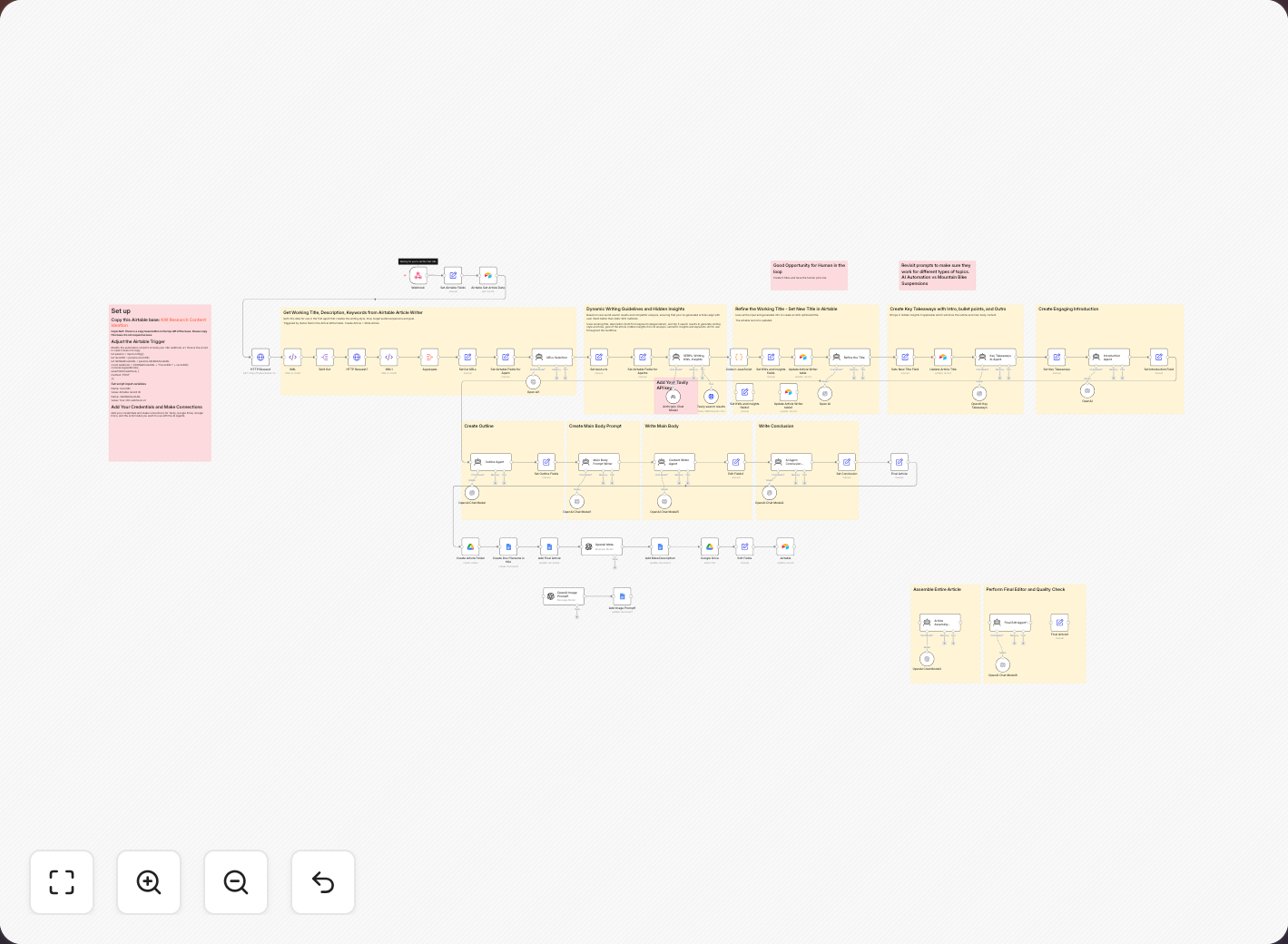
The typical "assembly line" programmatic SEO workflow in n8n.
This "assembly line" workflow breaks constantly. API costs rack up across 4 different services, rate limits trigger failures, and most importantly, "one-shot" AI prompts generate generic, hallucinated content that fails to rank.
The Ultimate SEO Automation Tool
Nuanta replaces the fragile research, outlining, drafting, and intent grounding nodes found in traditional SEO automation tools. It acts as the "Brain" of your operation. When an article finishes the Nuanta pipeline, Nuanta fires a webhook directly to n8n containing the fully optimized, ready-to-publish Markdown article.
You can then use n8n to route that article anywhere: cross-posting to Medium, sending a Slack notification, translating it via DeepL, or publishing it to an exotic custom CMS.
How It Works
- You create a Webhook node in your n8n workflow to listen for POST requests.
- Nuanta sends the completed article payload (title, slug, markdown, meta) to that webhook when you hit "Publish".
- Your n8n workflow catches the payload and distributes it to any of its 1000+ integrations.
Step 1 — Set up the n8n Webhook
In your n8n workspace, create a new workflow and add a Webhook node as the trigger.
Read official n8n Webhook node documentation →
- Set the HTTP Method to POST.
- Set the Path to something secure (e.g.,
nuanta-incoming-hook). - Select JSON as the respond format.
- Copy the generated Test URL (for testing) or Production URL (for live usage).
Key Payload Fields
Nuanta sends a structured JSON payload to your webhook. You can map these fields to subsequent nodes in n8n:
body.title— Article titlebody.slug— URL-safe slugbody.markdown— Full article body as Markdownbody.excerpt— Short description / metabody.cover_image_url— Direct URL to the cover imagebody.tags— Array of tags
Step 2 — Connect Nuanta
In Nuanta, navigate to Publish Everywhere in the sidebar, click Add Integration, find the Automation section, and select n8n.
Your configuration should look like this:
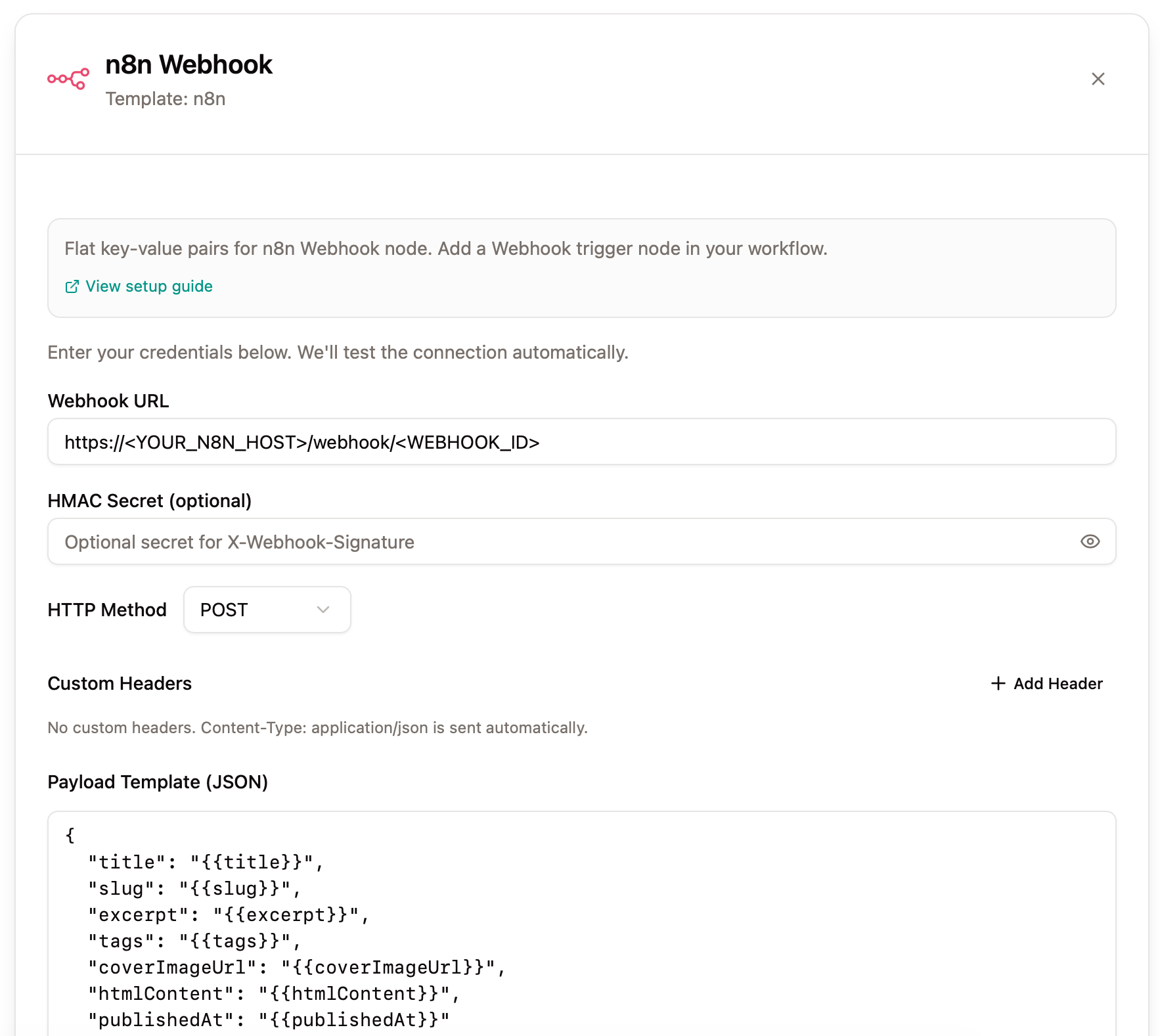
Paste your n8n Webhook URL into the Nuanta configuration dialog.
Step 3 — Publish & Distribute
With the webhook configured, progress any article through your Nuanta pipeline to the Publish stage.
Nuanta will instantly transmit the full, intent-grounded article payload to your n8n workflow, triggering whatever downstream automations you have configured.
n8n SEO Automation Workflows
The real power of this integration is the ability to trigger complex n8n seo automation workflows without having to manage API keys, LLM prompts, or research scraping logic inside of n8n.
Because Nuanta handles the "Brain" work (Search Volume analysis, SERP scraping, and drafting), your n8n workflow can stay completely focused on distribution. Here are the most common n8n seo workflows our users build. For pre-built setups, check out the official n8n template library:
1. The "Publish & Alert" Workflow
Although Nuanta natively supports publishing to CMS platforms, it's often worth doing some preparation before the article goes live—like custom Markdown formatting, inserting specific CTAs, or routing the payload to multiple destinations at once.
When Nuanta pushes an article to the webhook, n8n can automatically:
- Publish the Markdown directly to a Webflow CMS collection.
- Format a summary and send an alert to a specific Slack channel.
- Create a draft social media post in Buffer using the article's excerpt.
2. The Translation Pipeline
While Nuanta directly supports generating content in multiple languages, each pipeline outputs in only one language. To scale internationally from a single Nuanta pipeline, you can connect the webhook to a translation flow.
- n8n receives the English article from Nuanta.
- n8n sends the
body.markdownto DeepL API to translate it into Spanish and German. - n8n pushes the translated articles into your localized WordPress multi-site network.